
How to Apply for Citizenship Online: The Online Application Process for Canadian Citizenship

Applying for Canadian citizenship is a significant step. It marks the transition from permanent resident to full member of Canada. The process has become more accessible with the online application system. This guide explains the online application process for Canadian citizenship. It provides clear, practical steps to help you apply with confidence.
Steps to Apply for Citizenship Online
Applying for citizenship online is straightforward. The government of Canada has designed the system to be user-friendly. Here is a step-by-step overview:
Create an Online Account
Start by creating an account on the official Immigration, Refugees and Citizenship Canada (IRCC) website. This account will be your portal for submitting your application and receiving updates.
Gather Required Documents
Before you begin the application, collect all necessary documents. These include your permanent resident card, identification, proof of language proficiency, and tax records.
Complete the Application Form
Fill out the citizenship application form online. Answer all questions honestly and accurately. The form will ask about your personal details, residency history, and language skills.
Upload Supporting Documents
Upload scanned copies of your documents. Ensure they are clear and legible. The system accepts common file formats like PDF and JPEG.
Pay the Application Fee
Pay the required fee online using a credit card or other accepted payment methods. Keep the receipt as proof of payment.
Submit Your Application
Review your application carefully. Once you are sure all information is correct, submit it through the online portal.
Track Your Application
Use your online account to check the status of your application. You will receive notifications about any updates or additional requirements.
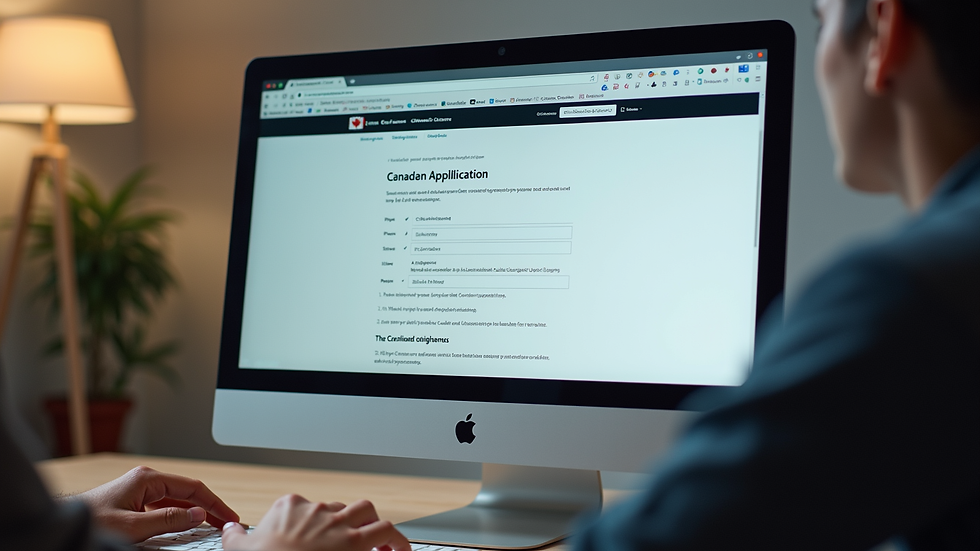
Why You Should Apply for Citizenship Online
Applying online offers several advantages:
Convenience: You can apply from anywhere at any time. There is no need to visit an office in person.
Speed: Online applications are processed faster than paper applications.
Transparency: You can track your application status in real time.
Reduced Errors: The online form has built-in checks to reduce mistakes.
Environmentally Friendly: No paper forms mean less waste.
These benefits make the online application process the preferred choice for many applicants.
How Much Money Do You Need to Apply for Canadian Citizenship?
Understanding the costs involved is important. The fees for Canadian citizenship applications are set by the government. As of now, the fees include:
Application Fee: $630 CAD for adults (18 years and older). This includes the processing fee and the right of citizenship fee.
Application Fee for Minors: $100 CAD for applicants under 18 years old.
Additional Costs: You may have extra costs for language tests, translation of documents, or obtaining police certificates.
It is important to pay the correct fee when submitting your application. Incorrect payment can delay processing.
Tips for a Successful Online Application
To improve your chances of success, follow these tips:
Read Instructions Carefully: Each section of the application has specific requirements.
Check Eligibility: Ensure you meet the residency and language requirements before applying.
Prepare Documents in Advance: Have all documents ready and scanned before starting.
Use Clear Scans: Blurry or incomplete documents can cause delays.
Keep Copies: Save copies of your application and all documents for your records.
Respond Promptly: If IRCC requests more information, reply quickly.
Following these steps will help you avoid common pitfalls.

What Happens After You Submit Your Application?
After submission, your application goes through several stages:
Acknowledgment of Receipt
You will receive a confirmation email. This confirms that your application is in the system.
Application Review
IRCC reviews your application for completeness and eligibility.
Background Check
A security and criminal background check is conducted.
Citizenship Test and Interview
If you are between 18 and 54 years old, you will be invited to take a citizenship test. This test covers Canadian history, values, institutions, and symbols. An interview may follow.
Decision
You will be notified of the decision. If approved, you will receive an invitation to a citizenship ceremony.
Citizenship Ceremony
At the ceremony, you take the Oath of Citizenship. This is the final step to becoming a Canadian citizen.
Understanding these steps helps you prepare for what comes next.
Final Thoughts on Applying for Canadian Citizenship Online
The online application process for Canadian citizenship is designed to be clear and efficient. By following the steps outlined here, you can complete your application with confidence. Remember to prepare your documents, pay the correct fees, and respond promptly to any requests.
Taking this step brings you closer to becoming a full member of Canada. It is a process that requires attention and care, but it is achievable with the right information and preparation.


Comments